
Runner setup guide

Get hashiRun ready before race day.

A simple checklist for new runners: make your account, add the race, start your run, and find it afterwards.

1

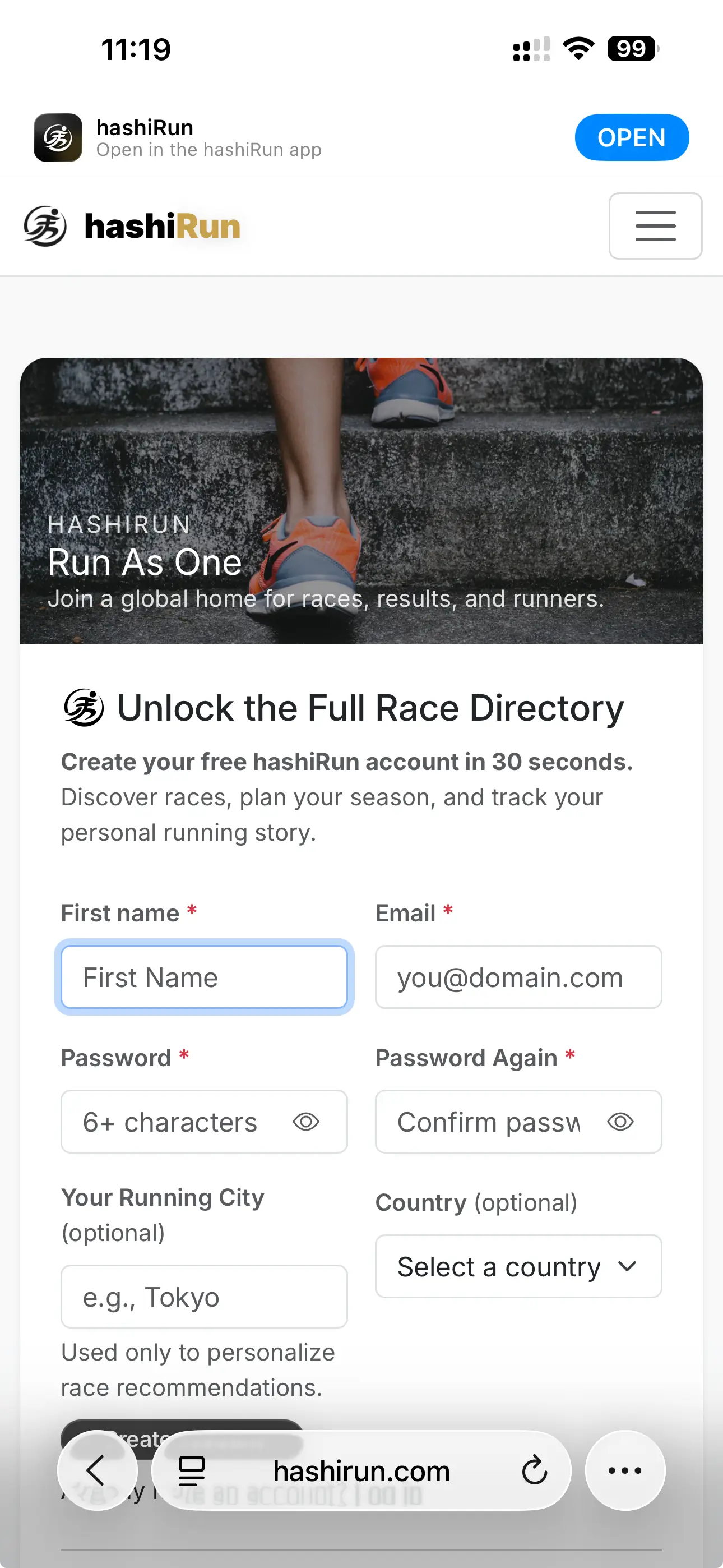
Download the app and create your free account.

Use the same email you want for race updates. Keep your password somewhere safe.

  • Open hashiRun on your phone.
  • Tap Sign up.
  • Confirm your email if asked.
Create a hashiRun account
2

Find your race and add it to your Race Diary.

Your Race Diary is where hashiRun keeps your upcoming and finished races.
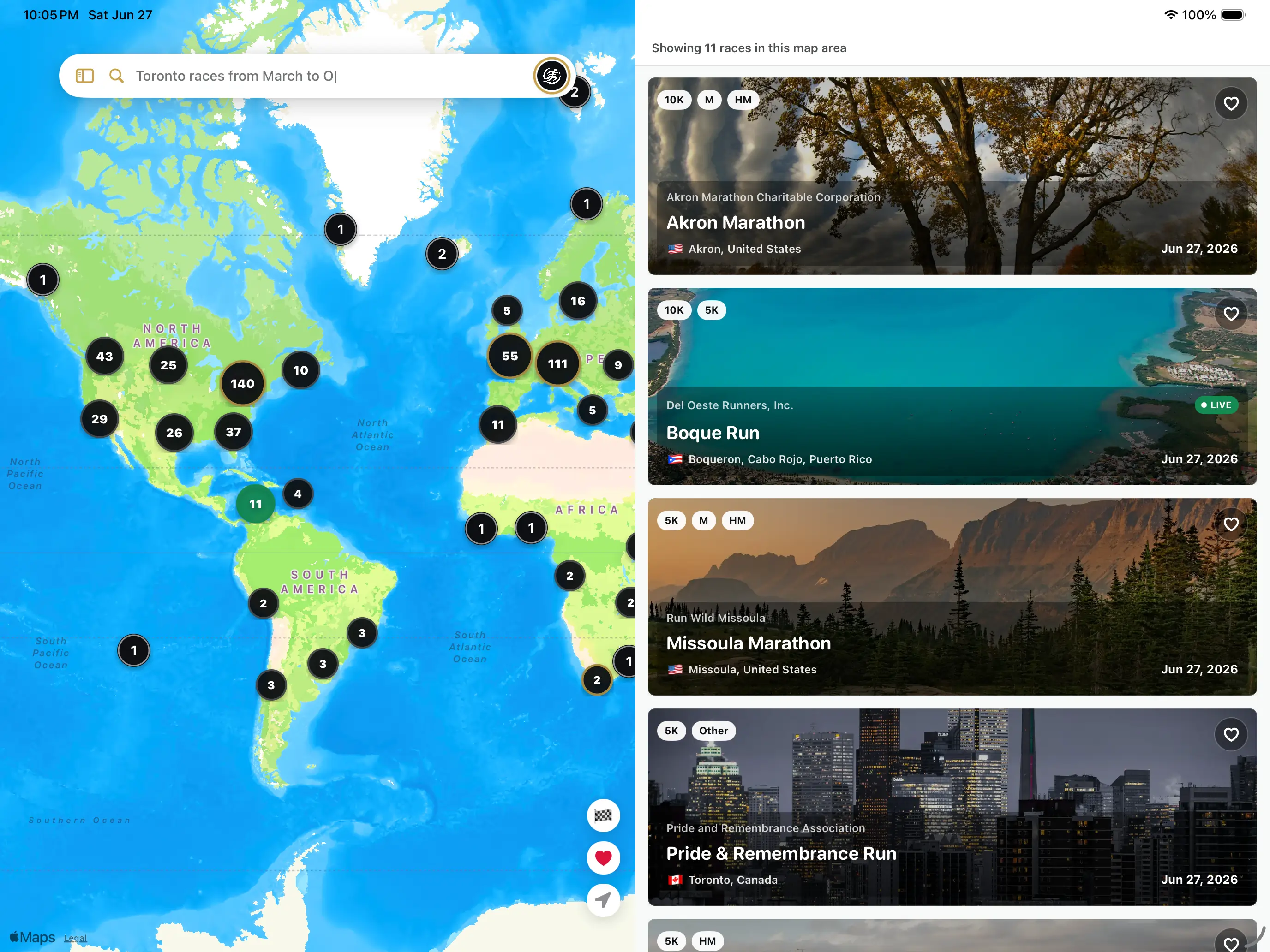
  • Open Explore Races.
  • Search for your race.
  • Tap Registered and Add to your Race Diary. Races must be 'Registered' to show up on race watch.
Find a race in hashiRun
3

Use your offer code for a free race pack.

If your race gave you a code, add it before race day so live race features are ready.
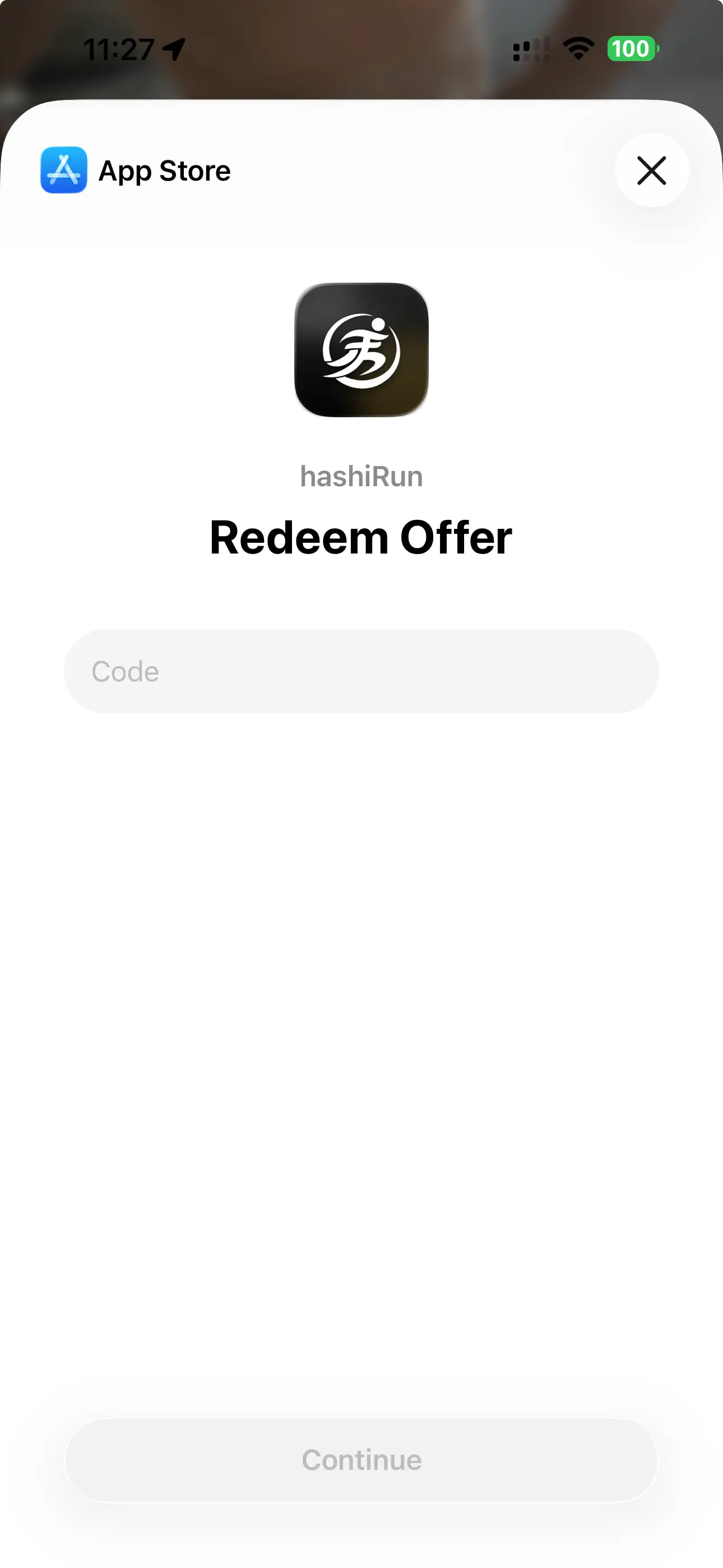
  • Open the hashiRun phone app.
  • Go to Account > Plan.
  • Tap Redeem Offer Code.
  • Enter the code and confirm it was added.
Redeem offer code in hashiRun
4

Check your setup before race morning.

Do this at home, not at the start line. It only takes a few seconds.
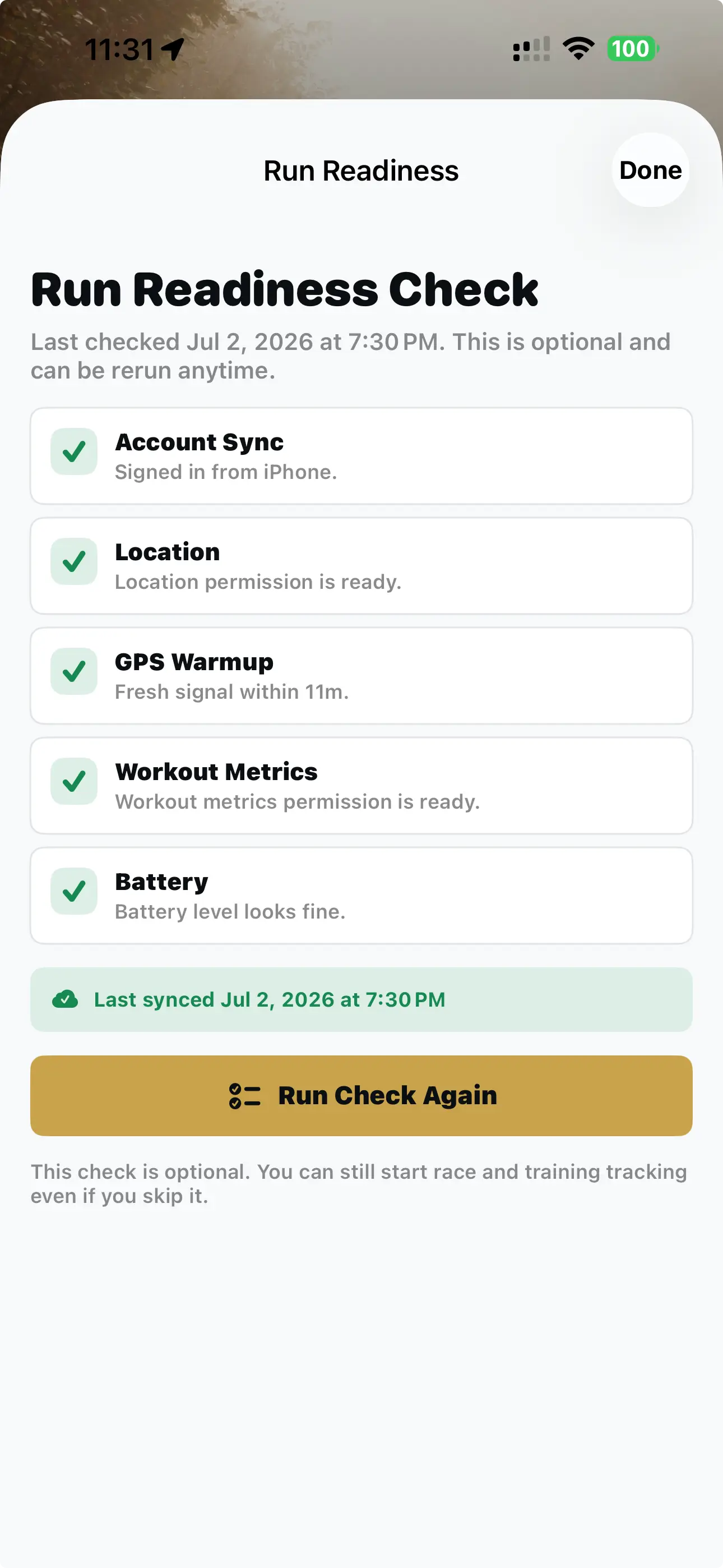
  • On the Run tab, open the Run Readiness Check, and tap Start Check.
  • If you use Apple Watch, open hashiRun on the watch once and verify your registered race is listed.
  • Charge your phone before you leave.
Run Readiness Check in hashiRun
5

Share your spectator code.

Friends and family can follow your run by entering your spectator code on the spectate page.
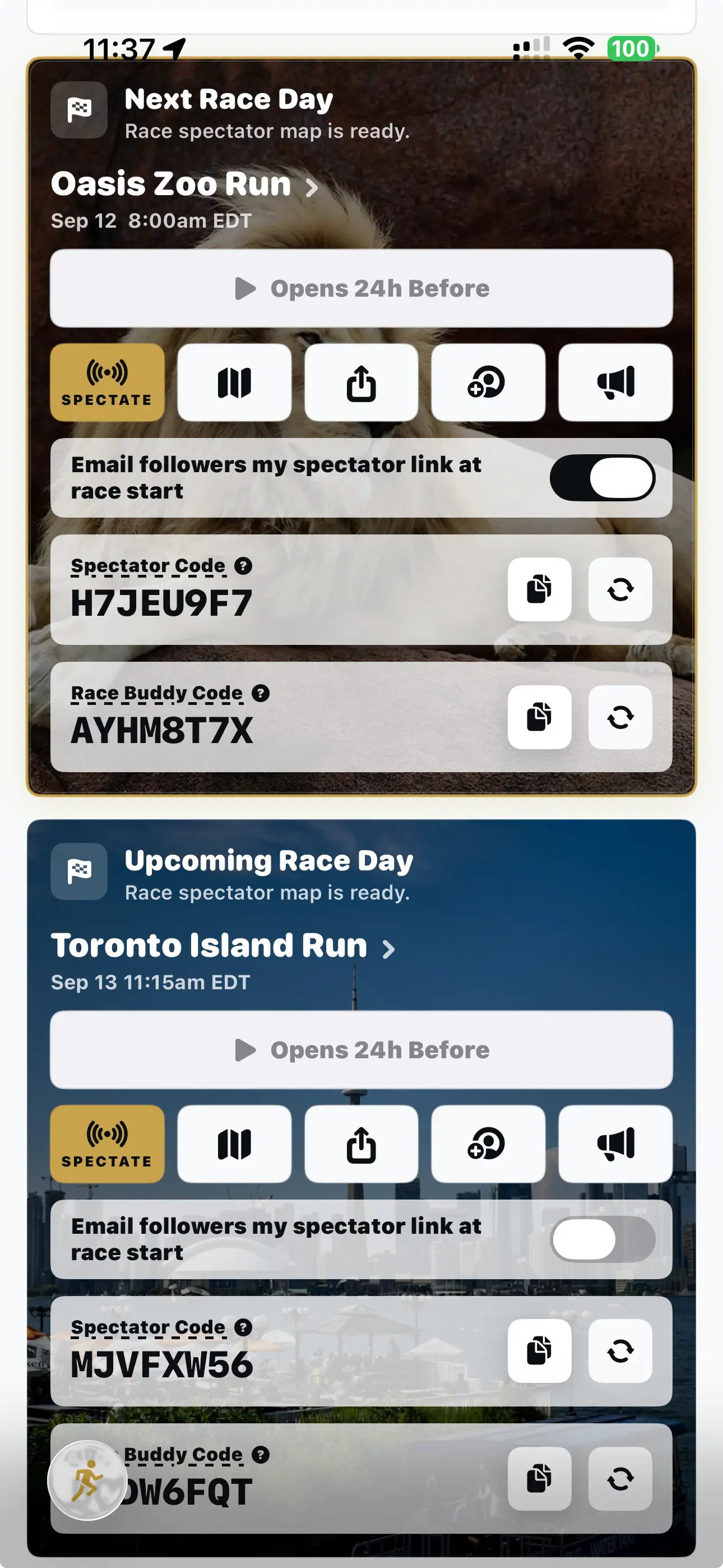
  • Find your spectator code on the Run tab.
  • Share it with friends and family before the race.
  • They can enter it on /spectate to view your run.
Share spectator code in hashiRun
6

On race day, don't forget to start your run!

Open the app a few minutes before the race. Choose your race, then tap Start Race.
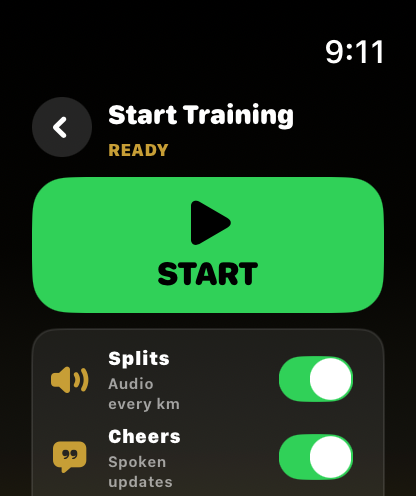
  • Go to the Run tab.
  • Choose your race.
  • Tap Start Race when you cross the start line.
Race tracking is available 24 hours before race start time.
Start a race from the Run tab
7

When you finish, end the run.

After crossing the finish line, stop hashiRun so your race can save cleanly.
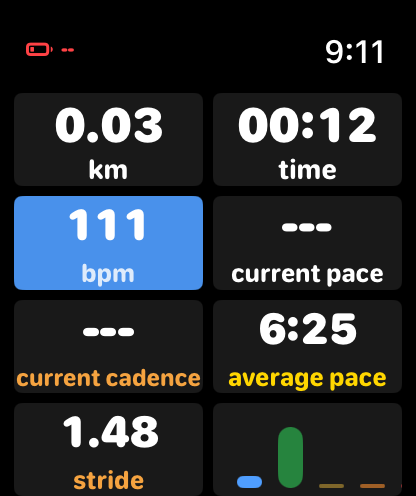
  • On the live run screen, hold the screen for 1 second to end the run.
  • Confirm if the app asks.
  • Keep the app open for a moment while it saves.
Live run screen in hashiRun
8

View your run afterwards.

Your saved race lives in your Race Diary. You can open it later to see your result and replay.
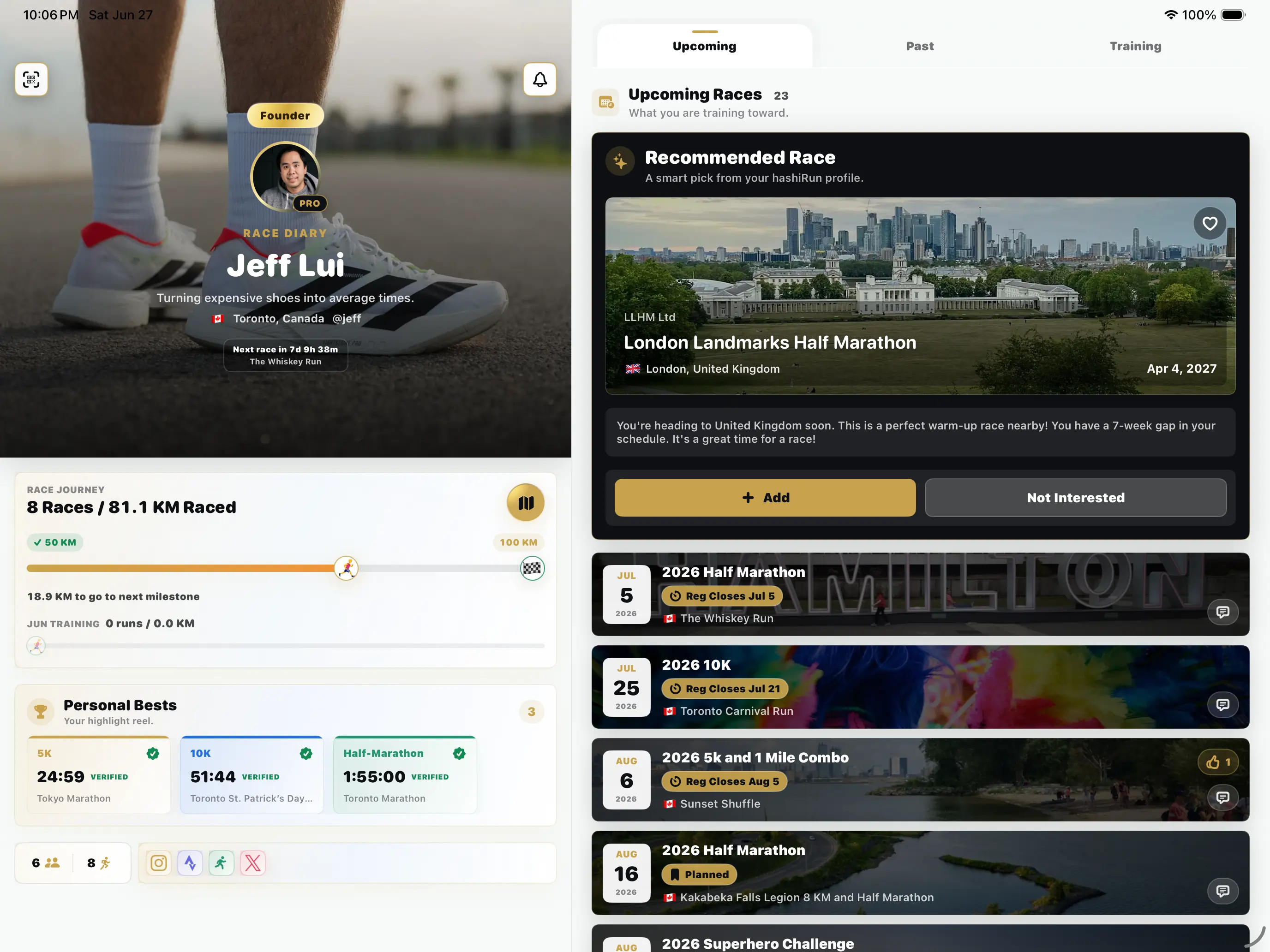
  • Open your Profile.
  • Go to your Race Diary.
  • Tap your race to view the run.
Race Diary in hashiRun

That is it. Set up early, then just run.

If something looks off before race day, use the Contact link below or email support@hashirun.com.

Proud Member of MyRun.ID